





AI has become part of everyday life.
You can now use free AI tools to write articles, research topics, analyze documents, create images, design presentations, generate music, and even help with coding.
And you don’t always need a paid subscription.
The catch?
Most free AI tools come with limits. You may get fewer messages, fewer image generations, limited advanced features, or restricted access to the newest AI models.
Still, some free plans are surprisingly powerful.
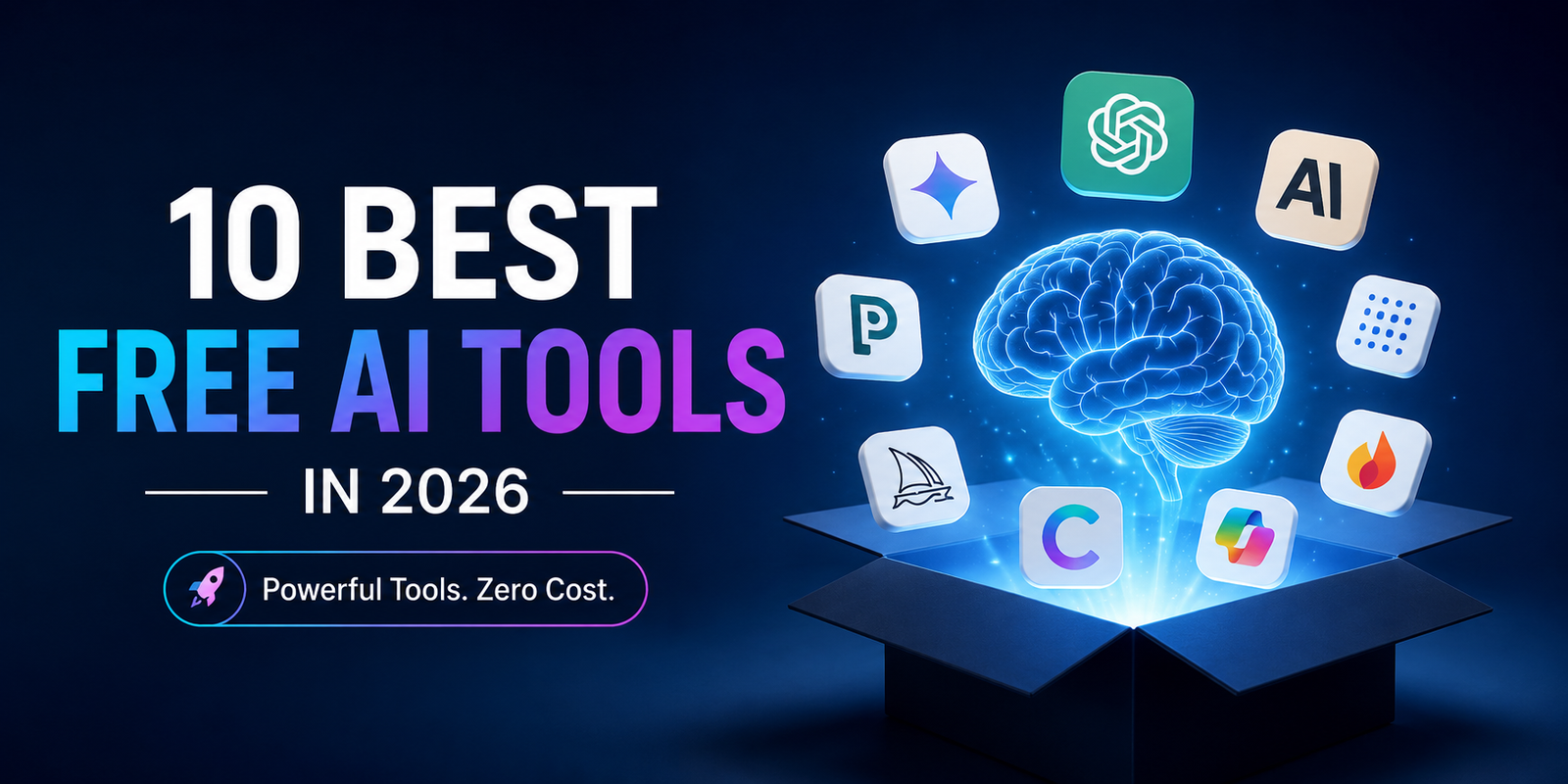
Here are 10 of the best free AI tools in 2026 that are worth trying.
What Are the Best Free AI Tools?
The best free AI tool depends on what you want to accomplish.
- ChatGPT — Best overall AI assistant
- Google Gemini — Best for Google users
- Claude — Best for writing and reasoning
- Perplexity — Best for AI-powered research
- NotebookLM — Best for working with your own documents
- Canva AI — Best for easy graphic design
- Microsoft Copilot — Best for everyday productivity
- Adobe Firefly — Best for AI-generated creative content
- Gamma — Best for AI presentations
- Suno — Best for AI music generation
The important thing to remember is that free does not always mean unlimited.
Free plans can change, so check the provider’s current terms before relying on a specific feature or usage limit.
1. ChatGPT — The Best Free AI Tool for Almost Everything
ChatGPT is one of the most versatile AI tools available.
You can use it for work, school, research, writing, brainstorming, coding, and everyday questions.
It can also work with files and data and support other AI-powered tasks.
What can you use ChatGPT for?
- Write and edit articles
- Summarize documents
- Explain difficult topics
- Brainstorm ideas
- Analyze files
- Work with data
- Help with coding
- Research current topics
- Create content
- Improve existing writing
Best for
Almost everything.
If you’re new to AI and want to try just one tool, ChatGPT is a good place to start.
The catch
The free version has usage limits. Some advanced features and higher usage limits are available on paid plans.
Simple tip
Don’t just say:
“Write an article about AI.”
Instead, explain your audience, goal, topic, tone, length, and format.
The more useful information you provide, the better the result is likely to be.
2. Google Gemini — A Great Free AI Assistant
Google Gemini is another powerful option if you’re looking for a free AI chatbot.
It can help with writing, research, brainstorming, learning, planning, and multimodal tasks.
It’s especially appealing if you already use Google’s products and services.
What can Gemini do?
- Answer questions
- Write content
- Summarize information
- Help with research
- Brainstorm ideas
- Explain complex topics
- Help with learning
- Work with different types of information
Best for
Google users, students, researchers, and everyday AI assistance.
The catch
Features and usage limits can vary depending on your account, location, model, and subscription.
So don’t assume that every Gemini feature is available on the free plan.
3. Claude — One of the Best Free AI Writing Tools
If your main goal is writing, Claude deserves a place on your list.
It’s useful for creating, editing, summarizing, and improving long-form content.
It can also help analyze documents and follow detailed instructions.
What can Claude do?
- Write blog posts
- Rewrite content
- Improve readability
- Summarize long documents
- Brainstorm ideas
- Analyze text
- Explain complicated subjects
- Help with coding
Best for
Writers, editors, marketers, researchers, and professionals.
The catch
Claude’s free plan has usage limits, and availability can vary depending on demand.
Why writers like it
Claude can be especially useful when you already have a draft.
Instead of starting from scratch, you can ask it to:
- Remove repetition
- Simplify sentences
- Improve transitions
- Make the writing more natural
- Find unclear sections
- Improve the overall structure
That makes it useful as an AI writing assistant, not just an AI text generator.
4. Perplexity — One of the Best Free AI Research Tools
Perplexity is different from a traditional chatbot.
It combines AI with web search to help you find information and sources.
That makes it particularly useful when you need to research something quickly.
What can you use Perplexity for?
- Online research
- Finding sources
- Current information
- Competitor research
- Product comparisons
- Topic research
- Fact checking
- Discovering primary sources
Best for
Research and information discovery.
The catch
Advanced searches and some premium capabilities have usage restrictions on the free plan.
Important reminder
AI citations don’t automatically mean every claim is correct.
For important information, open the cited source and check the original material yourself.
5. Google NotebookLM — Your AI Research Assistant
NotebookLM is especially useful when you already have documents you want to understand.
You can give it source material and ask questions about that information.
This makes it different from a general AI chatbot.
What can NotebookLM help with?
- Summarizing documents
- Studying notes
- Understanding research papers
- Asking questions about PDFs
- Comparing information
- Organizing research
- Creating study materials
Best for
Students, researchers, professionals, and anyone working with documents.
Why it’s useful
Imagine you have 10 research papers.
Instead of reading through every page before asking a question, you can use NotebookLM to interact with the material and quickly locate important information.
You should still verify important facts against the original documents.
6. Canva AI — Easy AI Design for Everyone
You don’t need to be a professional designer to create attractive graphics anymore.
Canva AI makes it easier to create visual content using AI-assisted tools.
What can Canva AI help you create?
- Social media posts
- Presentations
- Posters
- Marketing graphics
- Images
- Visual content
- Branded designs
- AI-assisted copy
Best for
Creators, marketers, small businesses, students, and social media managers.
The catch
Canva provides AI features on its free plan, but advanced tools and higher usage limits can require a paid plan.
Why it’s worth trying
Canva combines AI generation with a familiar visual editor.
That means you can generate an idea quickly and then manually adjust fonts, layouts, images, and other elements.
7. Microsoft Copilot — A Useful Free AI Assistant
Microsoft Copilot is another strong choice for everyday AI tasks.
It can help with writing, brainstorming, questions, web-based research, summaries, and image creation.
What can Copilot do?
- Answer questions
- Summarize information
- Write content
- Brainstorm ideas
- Help with research
- Create images
- Assist with everyday tasks
Best for
Microsoft users and general productivity.
The catch
The free Copilot experience is different from the premium AI features included with eligible Microsoft 365 subscriptions.
Some advanced integrations require a paid plan.
8. Adobe Firefly — A Powerful Free AI Image Generator
Want to experiment with AI-generated images?
Adobe Firefly is worth checking out.
It’s designed for creative work and can help generate and edit visual content.
What can Firefly do?
- Generate images
- Create image variations
- Explore creative ideas
- Edit images
- Replace visual elements
- Develop marketing concepts
Best for
Designers, photographers, marketers, creators, and Adobe users.
The catch
Free access comes with limited generative usage.
More generations and premium capabilities may require a paid plan.
Why try it?
Firefly is particularly useful if you want AI image generation as part of a larger creative workflow rather than as a standalone image generator.
9. Gamma — Create Presentations With AI
Creating a presentation from scratch can take a lot of time.
Gamma helps speed up that process.
You can start with an idea or outline and use AI to turn it into a visual presentation.
What can Gamma create?
- Business presentations
- Pitch decks
- Educational slides
- Project presentations
- Reports
- Visual stories
Best for
Students, professionals, marketers, founders, and educators.
The catch
The free plan has limits on AI creation and some advanced features.
A simple workflow
Use this process:
Research → Outline → Generate → Edit
First, research the topic.
Then create a clear outline.
Use Gamma to build the presentation.
Finally, review and edit every slide yourself.
AI can make the first version quickly, but human editing still matters.
10. Suno — A Free AI Music Generator
Suno is one of the most interesting AI tools for creative users.
It can generate music from prompts and help turn ideas into songs.
What can Suno create?
- Songs
- Instrumental tracks
- Music demos
- Genre experiments
- Background music
- Musical ideas
Best for
Musicians, creators, hobbyists, and video makers.
The catch
The free plan has usage limits.
More importantly, free and paid plans can have different licensing and commercial-use rights.
If you plan to make money from AI-generated music, check the current terms before using it commercially.
Best Free AI Tools: Quick Comparison
|
AI Tool |
Best For |
Main Use |
|
ChatGPT |
General AI |
Writing, research, analysis |
|
Google Gemini |
Google users |
AI assistance and research |
|
Claude |
Writing |
Editing and reasoning |
|
Perplexity |
Research |
AI-powered web search |
|
NotebookLM |
Documents |
Source-based research |
|
Canva AI |
Design |
Graphics and visual content |
|
Microsoft Copilot |
Productivity |
Everyday AI tasks |
|
Adobe Firefly |
Images |
AI creative work |
|
Gamma |
Presentations |
AI slide creation |
|
Suno |
Music |
AI music generation |
Are Free AI Tools Actually Free?
Yes—but there is usually a catch.
Most free AI software uses a freemium model.
You can use the basic service without paying, but you may have limits on:
- Number of messages
- AI generations
- Search requests
- File uploads
- Advanced models
- Image creation
- AI credits
- Commercial use
Before choosing an AI tool, always check its current free-plan details.
What Can You Do With Free AI Tools?
You can accomplish much more by combining several AI tools.
For example:
For research
Perplexity → NotebookLM → ChatGPT
Use Perplexity to find information.
Use NotebookLM to understand your source documents.
Then use ChatGPT to organize your findings.
For content creation
ChatGPT or Claude → Canva → Adobe Firefly
Create the written content first.
Then design the visual content.
Finally, use AI image tools for additional creative assets.
For presentations
Research → ChatGPT → Gamma → Canva
Research the subject.
Create an outline.
Generate the first presentation.
Then improve the visual design.
For music
ChatGPT → Suno
Use ChatGPT to develop the concept or lyrics.
Then use Suno to experiment with the musical version.
What Are the Problems With Free AI Tools?
Free AI tools are powerful, but they’re not perfect.
Here are the biggest things to watch.
1. Usage limits
You may run out of free messages, credits, searches, or generations.
2. Incorrect information
AI can sometimes produce incorrect or outdated information.
Never assume an AI answer is automatically accurate.
3. Changing features
AI companies frequently change their pricing, models, features, and free plans.
A feature that’s free today may have different limits later.
4. Privacy
Be careful about uploading sensitive information.
Avoid sharing passwords, confidential business documents, private customer information, or other sensitive data unless you’ve reviewed the provider’s policies.
5. Commercial rights
An AI tool being free doesn’t automatically mean everything it generates can be used commercially.
Always check the licensing terms.
How Can You Get Better Results From AI?
Better prompts usually produce better results.
Instead of writing:
“Write about AI tools.”
Give the AI more context:
“Write a beginner-friendly article about the best free AI tools in 2026. Explain what each tool does, who should use it, its benefits, and its free-plan limitations. Keep the language simple, use short paragraphs and clear headings, and avoid unsupported claims.”
A good AI prompt should usually include:
- Your goal
- Your audience
- Relevant context
- Desired tone
- Length
- Format
- Important requirements
- Source material, when available
You don’t need complicated prompts.
You need clear prompts.
Frequently Asked Questions
What is the best free AI tool?
There isn’t one AI tool that’s best for everyone.
ChatGPT and Claude are strong general-purpose options. Gemini is useful for Google users. Perplexity is excellent for research. NotebookLM works well with your own documents, while Canva AI is useful for design.
The right choice depends on what you need to do.
What is the best free AI tool for writing?
ChatGPT and Claude are strong choices for AI writing.
They can help with brainstorming, drafting, rewriting, editing, summarizing, and improving readability.
Your choice may depend on the type of content you’re creating and the free usage limits available at the time.
What is the best free AI tool for research?
Perplexity is a strong option for online research because it combines AI answers with web sources.
NotebookLM is particularly useful when you already have documents, PDFs, notes, or other source material.
What is the best free AI tool for students?
ChatGPT, Gemini, Claude, Perplexity, and NotebookLM can all help students.
NotebookLM is particularly useful for studying from your own notes and documents.
What is the best free AI image generator?
There is no single winner for every user.
Adobe Firefly and Canva AI are strong options if you want AI image generation combined with broader creative and design tools.
Can I use free AI tools for business?
In many cases, yes.
However, always check the provider’s current terms before using AI-generated content commercially.
Free access and commercial rights are not necessarily the same thing.
Are free AI tools safe?
They can be useful, but you should understand how each service handles your data.
Avoid uploading highly sensitive information unless you’ve checked the platform’s privacy and data-use policies.
Will free AI tools replace paid AI software?
Probably not completely.
Free AI tools are becoming increasingly powerful, but paid plans often provide:
- Higher usage limits
- Advanced models
- Premium features
- Better integrations
- Collaboration tools
- Additional commercial rights
Final Thoughts
The most exciting thing about AI isn’t just how powerful the technology has become.
It’s how much of that power is now available for free.
You can write with ChatGPT or Claude.
Research with Perplexity.
Study with NotebookLM.
Design with Canva.
Create images with Firefly.
Build presentations with Gamma.
Use Copilot for everyday productivity.
And experiment with music using Suno.
You don’t need 20 different subscriptions.
Start with two or three free AI tools that solve problems you actually have.
Learn what each tool does well.
Understand its limitations.
And always check important information before you trust or publish it.
The real AI skill isn’t knowing every tool.
It’s knowing which tool to use, what to ask, and when to verify the answer.