




The best AI tools for small businesses in 2026 can help business owners save time, reduce repetitive work, create content, manage customers, and improve daily productivity.
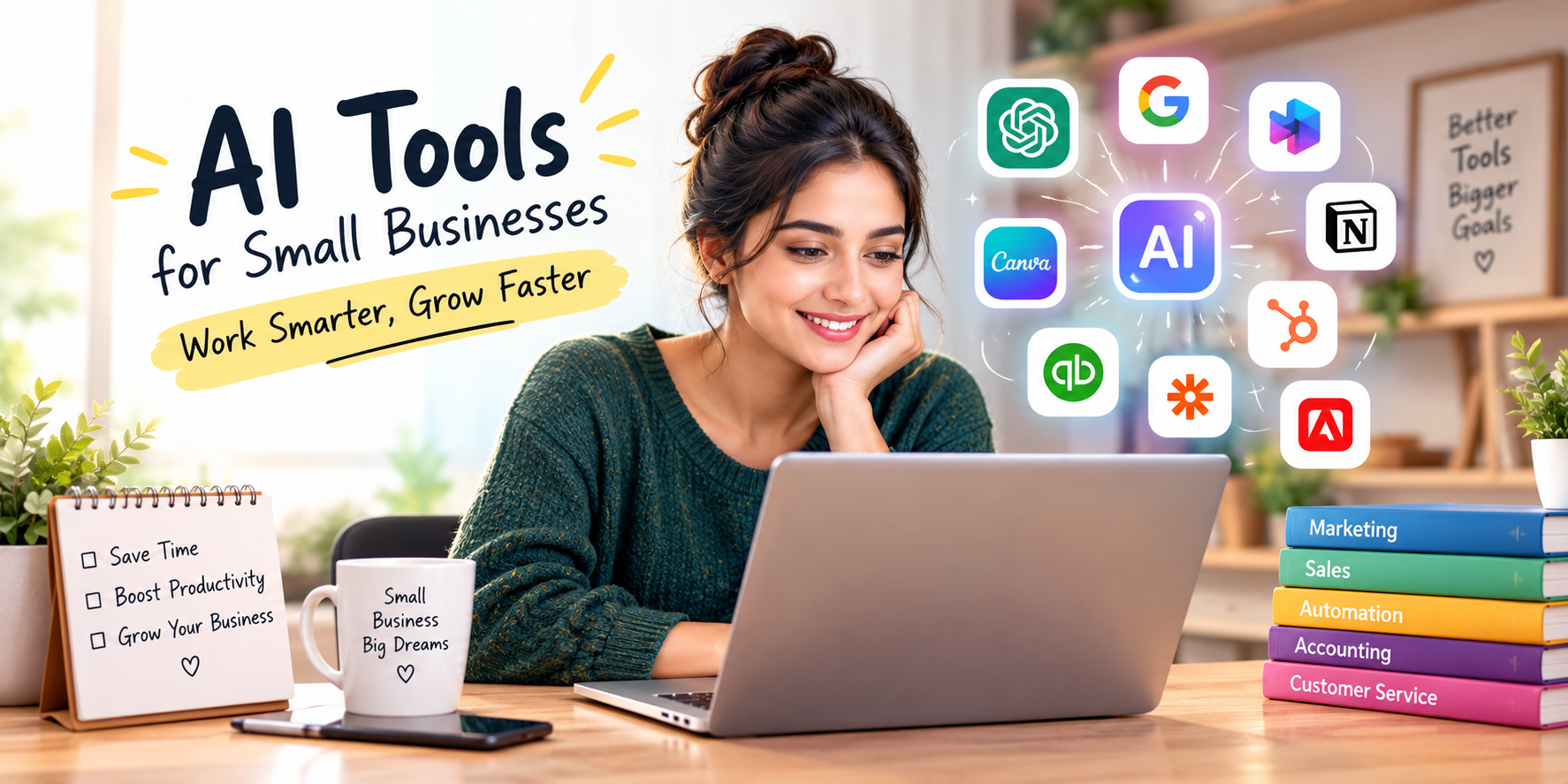
Popular options include ChatGPT Business, Google Workspace with Gemini, Microsoft 365 Copilot, Claude, Zapier, HubSpot Breeze, Canva AI, QuickBooks, Notion AI, and Adobe Express.
However, the right AI tool depends on what your business needs. For example, a marketing agency may need AI content and design tools, while an accounting firm may benefit more from AI-powered financial software.
ChatGPT Business and Claude are strong choices for general business tasks. Google Workspace with Gemini and Microsoft 365 Copilot work well for teams already using Google or Microsoft software. Meanwhile, Zapier is useful for automation, HubSpot for sales and marketing, Canva for design, and QuickBooks for accounting.
AI adoption is also growing among small businesses. The U.S. Chamber of Commerce reported that 58% of surveyed small businesses use generative AI, compared with 40% in 2024.
As AI becomes more common, the goal is not to use as many tools as possible. Instead, small businesses should choose AI software that solves real problems and provides measurable value.
What Are the Best AI Tools for Small Businesses in 2026?
Here are 10 of the best AI business tools for different small-business needs:
| AI Tool | Best For | Main Benefit |
|---|---|---|
| ChatGPT Business | Overall business AI | Writing, research, analysis, and productivity |
| Google Workspace + Gemini | Google users | AI inside Gmail, Docs, Sheets, and Meet |
| Microsoft 365 Copilot | Microsoft users | AI for Word, Excel, Outlook, PowerPoint, and Teams |
| Claude | Writing and research | Long-form writing and knowledge work |
| Zapier | Automation | Connecting apps and automating tasks |
| HubSpot Breeze | Sales and marketing | CRM and marketing workflows |
| Canva AI | Marketing and design | Graphics, social media, and presentations |
| QuickBooks | Accounting | Financial management and insights |
| Notion AI | Team knowledge | Notes, documents, search, and workflows |
| Adobe Express | Visual content | Graphics, images, and video |
1. ChatGPT Business — Best Overall AI Tool for Small Businesses
ChatGPT Business is a flexible AI tool for small businesses. It can help teams with writing, research, brainstorming, document analysis, data analysis, business planning, and many other everyday tasks.
For example, a business owner can use ChatGPT to draft a customer email, summarize a report, analyze a spreadsheet, or create ideas for a marketing campaign.
Another benefit is flexibility. Instead of buying separate AI software for writing, research, and brainstorming, a business can use one general-purpose AI assistant for many tasks.
Businesses should still review AI-generated information before using it for important decisions. When handling confidential company information, it is also important to use an appropriate business plan and understand its privacy and security settings.
Best for: General business productivity, research, writing, analysis, and brainstorming.
2. Google Workspace with Gemini — Best for Google Users
Google Workspace with Gemini is a strong choice for businesses that already use Gmail, Google Docs, Google Drive, Google Sheets, and Google Meet.
Because Gemini works within the Google Workspace environment, employees can use AI while staying inside the tools they already know.
For example, Gemini can help draft emails, create documents, summarize information, and assist with spreadsheets. As a result, teams can add AI to their existing workflow without introducing another completely separate platform.
Best for: Small businesses that rely on Google Workspace.
3. Microsoft 365 Copilot — Best AI Software for Microsoft Users
Microsoft 365 Copilot is designed for businesses that use Microsoft 365.
The tool works with familiar applications such as Word, Excel, PowerPoint, Outlook, and Teams. Therefore, employees can use AI assistance without leaving the software they already use every day.
Copilot can help draft emails, create documents, summarize information, analyze spreadsheets, and prepare presentations.
For a company that already pays for Microsoft 365, an integrated AI assistant can be more convenient than adding another standalone AI platform.
Best for: Businesses that use Microsoft 365.
4. Claude — Best AI Tool for Writing and Research
Claude is another useful option for small businesses that handle a lot of writing, research, and information.
It can help with:
- Long-form business writing
- Research
- Document analysis
- Summaries
- Brainstorming
- Business planning
- Knowledge work
For example, a consulting business could use Claude to review a long report and create a simple summary. Similarly, a marketing team could use it to develop ideas and improve existing content.
Claude also supports connections with business applications, depending on the plan and available integrations.
Best for: Writing, research, document analysis, and knowledge-based work.
5. Zapier — Best AI Automation Tool for Small Businesses
Zapier is one of the most useful AI automation tools for small businesses. It connects different applications and helps automate repetitive workflows.
For example, when someone submits a contact form, Zapier can send the information to a CRM. From there, another action can assign the lead, send an email, or notify a sales team member.
Common Zapier automation examples
- Lead management
- Customer onboarding
- Data entry
- Email notifications
- Marketing tasks
- Internal approvals
- Follow-up reminders
Most importantly, automation can reduce the amount of time employees spend moving information between different applications.
Best for: Businesses that want to automate repetitive tasks and connect their existing software.
6. HubSpot Breeze — Best AI Tool for Sales and Marketing
HubSpot Breeze provides AI features for sales, marketing, and customer-service teams.
It can help businesses work with CRM information, create content, summarize records, prepare for meetings, and support customer workflows.
For example, a sales team can use AI to prepare for a customer meeting by reviewing relevant CRM information. At the same time, marketing teams can use AI to help create and improve content.
The biggest advantage is business context. AI can be more useful when it has access to relevant customer and sales information rather than working from a blank conversation.
Best for: CRM, lead generation, sales, marketing, and customer relationships.
7. Canva AI — Best AI Marketing Tool for Small Businesses
Canva AI is a practical AI marketing tool for small businesses that need to create visual content quickly.
It can help create:
- Social media posts
- Advertisements
- Presentations
- Marketing graphics
- Short videos
- Promotional materials
- Branded content
For example, a small business can create one campaign concept and adapt it into several social media designs.
As a result, small teams can produce more marketing content without spending as much time creating every design from scratch.
Best for: Social media marketing, advertising, branding, and visual content.
8. QuickBooks — Best AI Tool for Small-Business Accounting
QuickBooks is a natural choice for businesses that already use its accounting software.
Its AI capabilities can help businesses work with financial information, understand trends, and support certain accounting and reporting tasks.
For example, business owners can use financial insights to better understand expenses, cash flow, and business performance.
However, AI should not replace professional accounting or tax advice when expert judgment is required. Instead, use AI to organize information, identify questions, and support financial workflows.
Best for: Accounting, financial information, reporting, and business insights.
9. Notion AI — Best AI Tool for Team Knowledge
Notion AI combines AI with documents, projects, tasks, and company information.
It can help with:
- Meeting notes
- Internal documents
- Standard operating procedures
- Project management
- Company knowledge
- Research
- AI-powered search
- Task management
As a company grows, important information can become scattered across documents, messages, and individual employees.
Therefore, an AI-powered knowledge base can make it easier for teams to find information and keep important business processes organized.
Best for: Team documentation, project management, internal knowledge, and remote teams.
10. Adobe Express — Best AI Tool for Visual Content
Adobe Express is another useful AI content creation tool for small businesses.
It combines templates, graphic design, image editing, video creation, social media tools, and generative AI features.
Businesses can use it to create:
- Social media posts
- Flyers
- Promotional graphics
- Short videos
- Images
- Presentations
- Marketing materials
In addition, Adobe Express can help small teams create professional-looking content without requiring a complex design workflow.
Best for: Visual marketing, graphics, images, and short-form video.
How Do You Choose the Best AI Tools for Your Small Business?
The best AI software for small business depends on the problem you want to solve.
Before choosing a tool, consider these questions.
1. What task takes the most time?
Look for repetitive work such as:
- Writing emails
- Data entry
- Customer support
- Reporting
- Lead follow-up
- Content creation
- Meeting notes
2. What type of AI tool do you need?
| Business Need | AI Tool Type |
|---|---|
| Writing and research | AI assistant |
| Email productivity | AI productivity tool |
| Lead generation | AI CRM |
| Marketing content | AI marketing tool |
| Repetitive tasks | AI automation tool |
| Bookkeeping | AI accounting software |
| Internal documents | AI knowledge tool |
| Customer support | AI customer-service tool |
| Data analysis | AI productivity software |
3. Does the tool work with your current software?
Integration matters because employees should not have to constantly move information between unrelated platforms.
For example, Google users may prefer Gemini because it works with Google Workspace. Microsoft users may find Copilot more convenient because it works with Microsoft 365.
4. Can you measure the results?
Before adopting an AI tool, decide what success means.
You could measure:
- Hours saved
- Money saved
- Leads processed
- Response time
- Revenue
- Customer satisfaction
- Error rates
In short, choose AI tools based on business results rather than the number of features they offer.
What Are the Benefits of AI Tools for Small Businesses?
The right AI business tools can help small companies save time and improve productivity.
Key benefits include:
Save time: AI can handle or assist with repetitive tasks.
Create content faster: AI can help draft emails, articles, advertisements, and social media posts.
Improve customer service: AI can help teams respond to common customer questions.
Speed up research: AI can summarize information and identify important points.
Reduce manual work: Automation can move information between business applications.
Improve consistency: Repeatable AI workflows can help teams follow the same process.
Support decisions: AI can help organize and analyze business information.
However, AI does not automatically improve every business process. The greatest value comes from using it for the right task and measuring the result.
What Should You Look for in AI Software for Small Businesses?
Before buying AI software, consider these important factors.
Accuracy
The tool should provide useful and reliable results for the task you need it to perform.
Integration
Choose software that works with your current business applications whenever possible.
Data privacy
Check how the provider stores, processes, and protects your business information.
Security
Look for features such as user permissions, authentication, and administrative controls.
Ease of use
Employees are more likely to use an AI tool when it is simple and fits their existing workflow.
Scalability
The software should be able to support your business as your team and workload grow.
Return on investment
Finally, compare the cost of the AI tool with the time, money, or revenue it can save or generate.
Are AI Tools Safe for Small Businesses?
AI tools can provide major benefits, but businesses should understand the risks before using them.
Common concerns include:
- Confidential information
- Incorrect AI-generated content
- Unauthorized access
- Copyright concerns
- Lack of human review
- Overreliance on automation
For this reason, small businesses should create a simple AI usage policy.
The policy can explain:
- Which AI tools employees can use
- What information they can enter
- What information is confidential
- Which AI outputs require human review
- How customer information should be handled
- Who is responsible for AI-assisted decisions
Businesses that handle financial, health, legal, employee, or other sensitive information should use additional protections where appropriate.
How Can a Small Business Start Using AI Without Overspending?
You do not need to buy ten AI subscriptions to start using AI effectively.
Instead, choose one repetitive task and test one AI solution.
A simple AI adoption process
- Identify a time-consuming task.
- Measure how long it currently takes.
- Choose an AI tool for that task.
- Test it with suitable, low-risk information.
- Create a simple workflow.
- Add human review when needed.
- Measure the results.
- Expand only when the tool provides clear value.
For example, you could start with email writing, meeting summaries, social media content, lead classification, or data entry.
Once the first workflow works well, you can look for another process that AI can improve.
Free vs. Paid AI Tools for Small Businesses
Free AI tools can be useful for testing AI, brainstorming, basic writing, and occasional tasks.
Paid AI software becomes more valuable when your business needs:
- Higher usage limits
- Team features
- Centralized billing
- Admin controls
- Business integrations
- Better privacy options
- Company knowledge
- Advanced automation
Ultimately, the cheapest tool is not always the best choice. The right tool is the one that delivers more value than it costs.
What Is the Best AI Tool for a Small Business Owner?
For a business owner who wants one flexible AI assistant, ChatGPT Business or Claude are strong options.
However, your existing software should also influence your choice.
- Google Workspace with Gemini: Best for Google users.
- Microsoft 365 Copilot: Best for Microsoft users.
- Zapier: Best for automation.
- HubSpot Breeze: Best for CRM and sales.
- Canva AI: Best for marketing design.
- QuickBooks: Best for accounting.
- Notion AI: Best for company knowledge.
Therefore, there is no single AI tool that is best for every small business.
What Is the Best AI Tool for Small-Business Marketing?
Canva AI and HubSpot Breeze are two strong options for small-business marketing.
Canva focuses on visual content, including social media posts, advertisements, presentations, and marketing designs.
HubSpot focuses more on CRM, sales, customer relationships, and marketing workflows.
For businesses that need both, the two platforms can complement each other.
What Is the Best AI Tool for Small-Business Automation?
Zapier is one of the strongest options for small-business automation.
It connects business applications and helps automate repetitive processes.
For example, a new website lead can automatically enter a CRM, receive a classification, trigger an email, and create a follow-up task.
As a result, employees can spend less time on manual data entry and more time on higher-value work.
What Is the Best AI Accounting Tool for Small Businesses?
For businesses that already use QuickBooks, its AI features are a logical place to start.
AI can help organize financial information, provide insights, and support certain accounting workflows.
However, important financial and tax decisions may require professional review. AI should support accounting work rather than replace qualified financial professionals.
Common AI Mistakes Small Businesses Should Avoid
Buying too many AI tools
Using multiple tools with similar features can increase costs and create unnecessary complexity.
Automating a bad process
AI can make a poor process faster. Therefore, improve the workflow before automating it.
Sharing sensitive information
Employees should understand what business information can and cannot be entered into AI tools.
Removing human review
AI-generated information can contain mistakes. For important work, a qualified person should review the output.
Measuring AI usage instead of results
The number of prompts employees use does not show whether AI is helping the business.
Instead, track:
- Time saved
- Costs reduced
- Leads generated
- Customer response time
- Revenue
- Customer satisfaction
- Error rates
Best AI Tools for Small Businesses: Final Verdict
The best AI tools for small businesses in 2026 are the ones that solve real problems, work with existing software, and deliver measurable results.
Our top picks:
- Best overall: ChatGPT Business
- Best for Google users: Google Workspace with Gemini
- Best for Microsoft users: Microsoft 365 Copilot
- Best for writing and research: Claude
- Best AI automation tool: Zapier
- Best for sales and CRM: HubSpot Breeze
- Best AI marketing tool: Canva AI
- Best for accounting: QuickBooks
- Best for team knowledge: Notion AI
- Best for visual content: Adobe Express
You do not need every tool on this list.
Instead, start with one general-purpose AI assistant and one specialized tool that solves a specific business problem. Add automation only when it can clearly save time or reduce costs.
The goal is not to use AI everywhere. Ultimately, the best AI strategy is to use artificial intelligence where it can save time, reduce manual work, improve business output, or support better decisions.
Frequently Asked Questions About AI Tools for Small Businesses
What are the best AI tools for small businesses in 2026?
The best AI tools depend on your business needs. ChatGPT Business and Claude are strong general-purpose AI assistants. Google Workspace with Gemini and Microsoft 365 Copilot are useful for productivity. Meanwhile, Zapier supports automation, HubSpot supports CRM and marketing, Canva supports design, QuickBooks supports accounting, and Notion supports team knowledge.
How can AI help a small business?
AI can help small businesses save time, automate repetitive tasks, create content, analyze information, improve customer communication, and organize company knowledge. For example, AI can draft emails, summarize meetings, classify leads, and create social media content.
Are AI tools worth paying for?
Paid AI tools can be worth the cost when they save more time or money than they cost. However, businesses should test tools and measure results before buying several subscriptions.
What is the easiest AI tool for a small business owner?
ChatGPT and Claude are practical starting points because they can support many common business tasks. For example, business owners can use them for writing, research, brainstorming, document analysis, and planning.
Can AI replace employees in a small business?
AI can automate parts of many jobs, but it does not automatically replace human judgment, expertise, creativity, accountability, or customer relationships. Instead, small businesses should generally use AI to support employees and automate suitable tasks.
What information should small businesses avoid putting into AI tools?
Businesses should avoid entering confidential, regulated, or personally sensitive information unless they have confirmed that the AI service provides suitable privacy and security protections.
How many AI tools does a small business need?
There is no fixed number. In many cases, a business can start with one general-purpose AI assistant and add specialized tools only when they solve a clear problem.
What is the biggest AI mistake small businesses make?
The biggest mistake is adopting AI without a clear business goal. Instead, identify one problem, measure the current process, test an AI solution, and track the results before expanding.